
Semantic Point of Sale
This page describes a simple demo of using public product master data from the data set at
via the LOD Virtuoso repository at
via a simple Python script.
Video
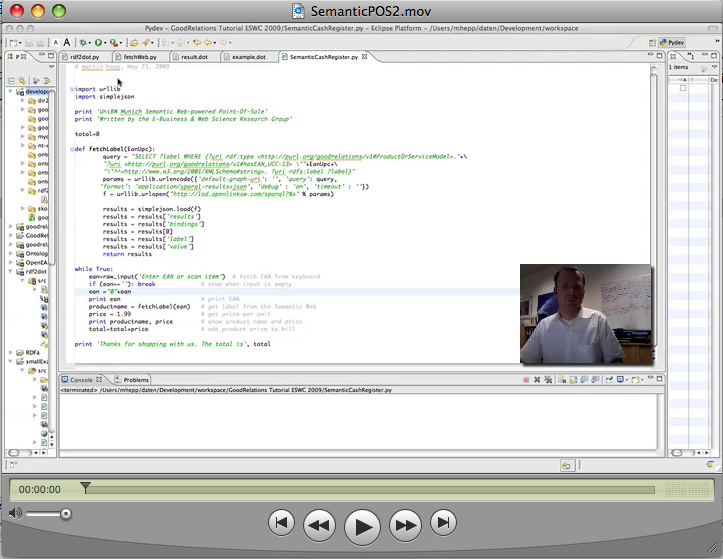
Click here for the video: http://www.ebusiness-unibw.org/mhepp/SemanticPOS2.mov
Code
# Semantic Web Cash Register
# martin hepp, May 25, 2009


import urllib
import simplejson

print 'UniBW Munich Semantic Web-powered Point-Of-Sale'
print 'Written by the E-Business & Web Science Research Group'

total=0

def fetchLabel(EanUpc):
        query = "SELECT ?label WHERE {?uri rdf:type <http://purl.org/goodrelations/v1#ProductOrServiceModel>."+\
        "?uri <http://purl.org/goodrelations/v1#hasEAN_UCC-13> \""+EanUpc+\
        "\"^^<http://www.w3.org/2001/XMLSchema#string>. ?uri rdfs:label ?label}"
        params = urllib.urlencode({'default-graph-uri': '', 'query': query,
       'format': 'application/sparql-results+json', 'debug' : 'on', 'timeout' : ''})
        f = urllib.urlopen("http://lod.openlinksw.com/sparql?%s" % params)

        results = simplejson.load(f)
        results = results['results']
        results = results['bindings']
        results = results[0]
        results = results['label']
        results = results['value']
        return results

while True:
    ean=raw_input('Enter EAN or scan item')  # fetch EAN from keyboard
    if (ean==''): break             # stop when input is empty
    ean ="0"+ean
    print ean                       # print EAN
    productname = fetchLabel(ean)   # get label from the Semantic Web
    price = 1.99                    # get price per unit
    print productname, price        # show product name and price
    total=total+price               # add product price to bill

print 'Thanks for shopping with us. The total is', total